microsoft office powerpoint2016官方下载
microsoft office powerpoint2016官方下载简介
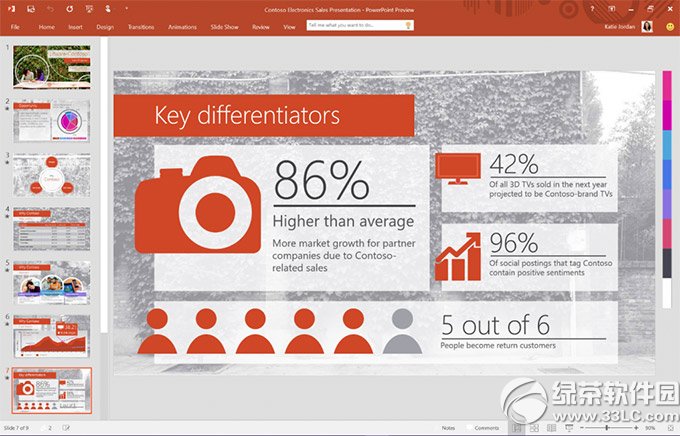
microsoft office powerpoint2016官方下载是微软公司官方最新发布的办公软件。microsoft office powerpoint2016官方下载能为您提供各种最新的幻灯片切换效果,并且对动画任务窗口进行更完善的优化,更符合用户的使用习惯。小编推荐大家赶快下来体验,目前该软件正在免费体验中。
microsoft office powerpoint2016官方下载新功能:
“Tell Me”功能:这项功能有点类似于Office 97时代Office中的“大眼夹”辅助功能,除了支持搜索和查询功能之外还能对你即将所要执行的操作进行说明。
微软在Office 2016中引入了全新的数据模型,不再兼容支持旧版本电子表格。
office2016对Excel的数据透视表的搜索功能进一步强化,能够轻松的帮助你找到案例和相关数据。
在office2016中,当你在文档中插入图像的时候Office就会自动根据文档排版和插入位置来确定照片的方向。
Outlook可以定义下载1天,3天,7天最多至14天的邮件,这样可以大大节省时间和流量,而在Outlook的现有版本中,用户只能下载最少为一个月的电子邮件。
microsoft office powerpoint2016官方下载安装说明:
C:\Users\EFA11\Desktop\office16>setup (绿茶提示:请将 EFA11 更换为自己的用户名,以找到自己Office 16对应的文件路径)
Usage:
SETUP mode [path to configuration file]
SETUP /download [path to configuration file]
SETUP /configure [path to configuration file]
SETUP /packager [path to configuration file] [output path]
SETUP /help [path to configuration file]
/download Downloads files to create an Office15 installation source
/configure Adds, removes, or configures an Office15 installation
/packager Produces an Office App-V package from an Office installation source
/help - Prints this message
最后,输入如下内容即可成功安装:
C:\Users\user-name\Desktop\office16>setup /configure c:\users\EFA11\Desktop\office16\configuration32.xml